
DriveCheck
Find out how fast your drives really are, and whether the cable, the port or the drive itself is slowing you down.
Free. No account, no ads, no tracking.
Is it the drive, or the cable?
A slow drive eats your time on every import, backup and edit. A lot of the time, the drive isn't the problem. It's a cheap cable, a slow port, or a hub in the way.
DriveCheck tests the drive, checks how it's connected, and tells you in plain English what's holding it back, so you know whether to buy a new cable or a new drive.
Name the culprit
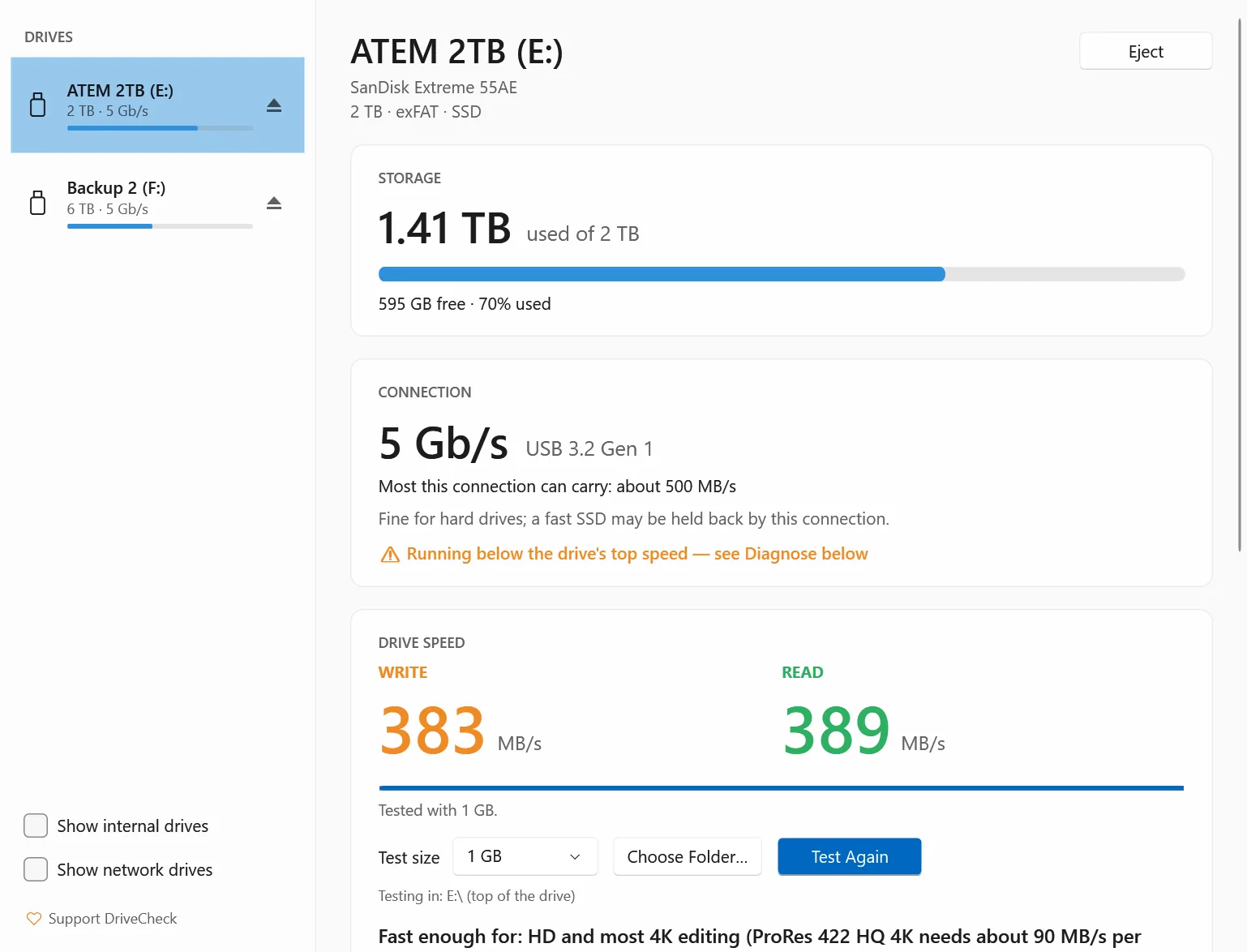
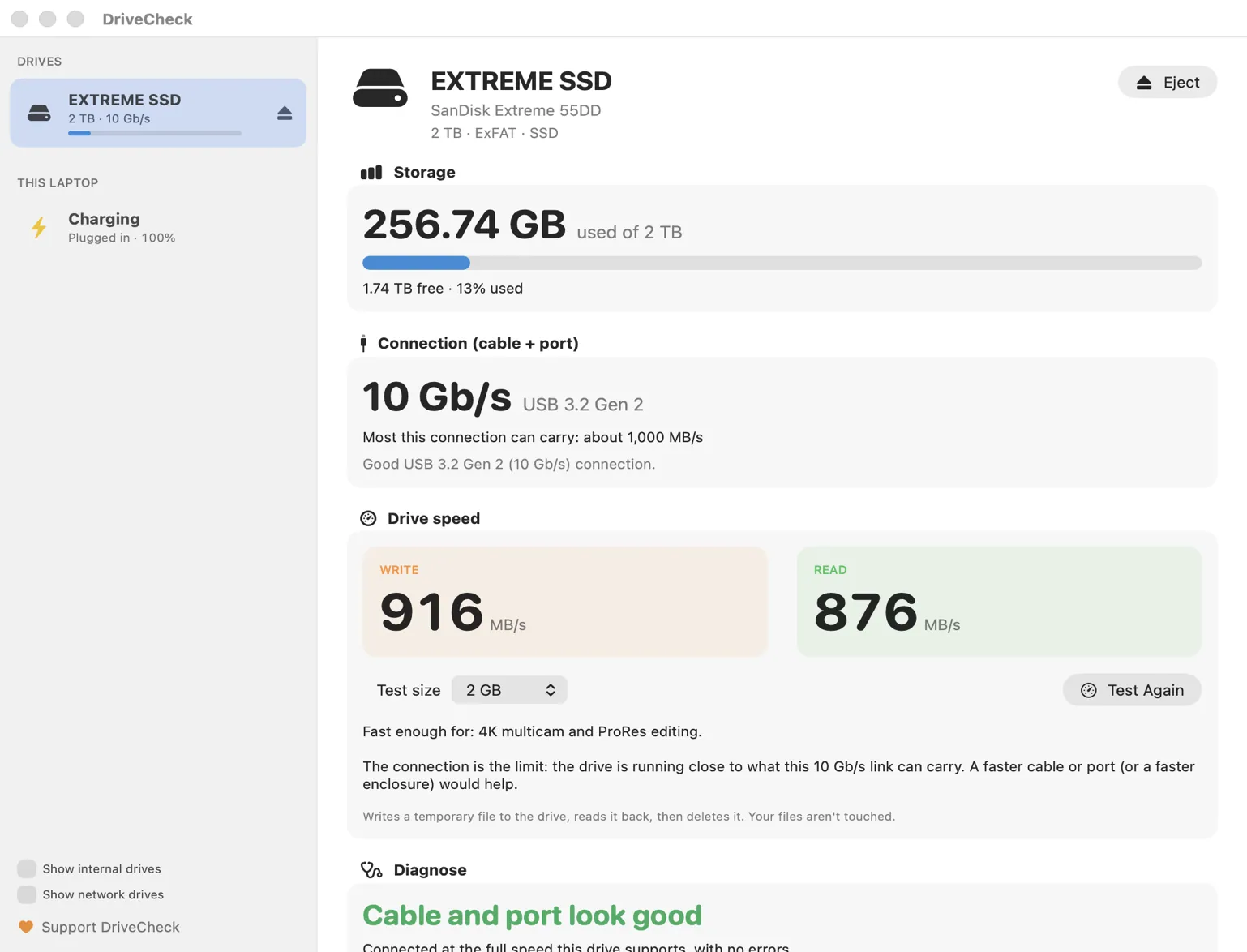
Run a speed test, then try a different port or cable. DriveCheck keeps track of every try and points at the one that's slowing you down.
- Real read and write speeds
- What the port, the drive and the connection support
- Errors your computer logged for that drive
- A plain-English verdict
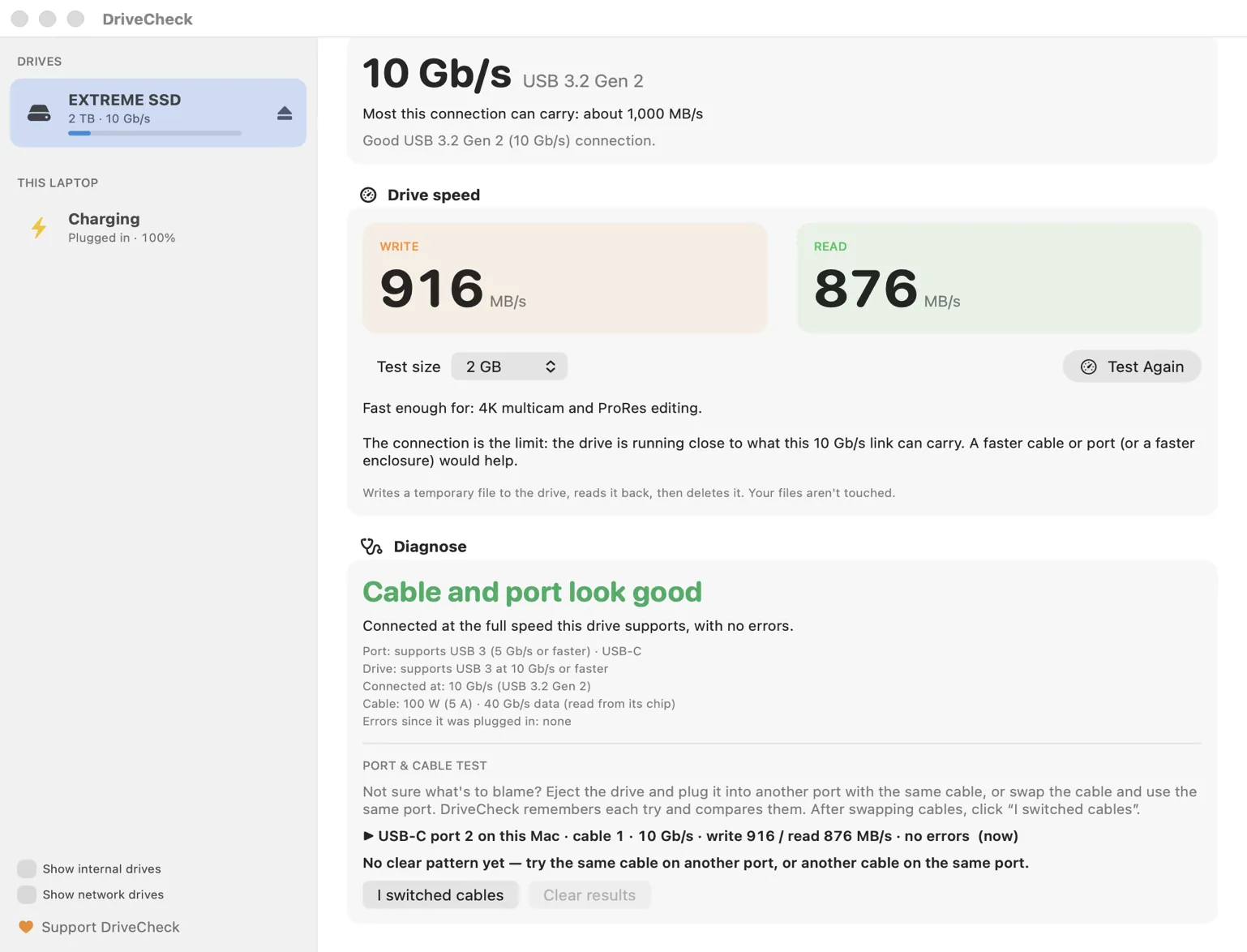
Everything in DriveCheck
Drive speed test
Real write and read speeds in MB/s, plus a plain-English verdict like “Fast enough for HD and most 4K editing.” It uses one temporary test file and deletes it when it's done. Your own files are never touched.
Connection check
See how each drive is plugged in: USB 2, USB 3 at 5, 10 or 20 Gb/s, Thunderbolt, internal NVMe, or a network drive over Ethernet or Wi-Fi. It also tells you the most that connection can carry.
Cable, port or drive?
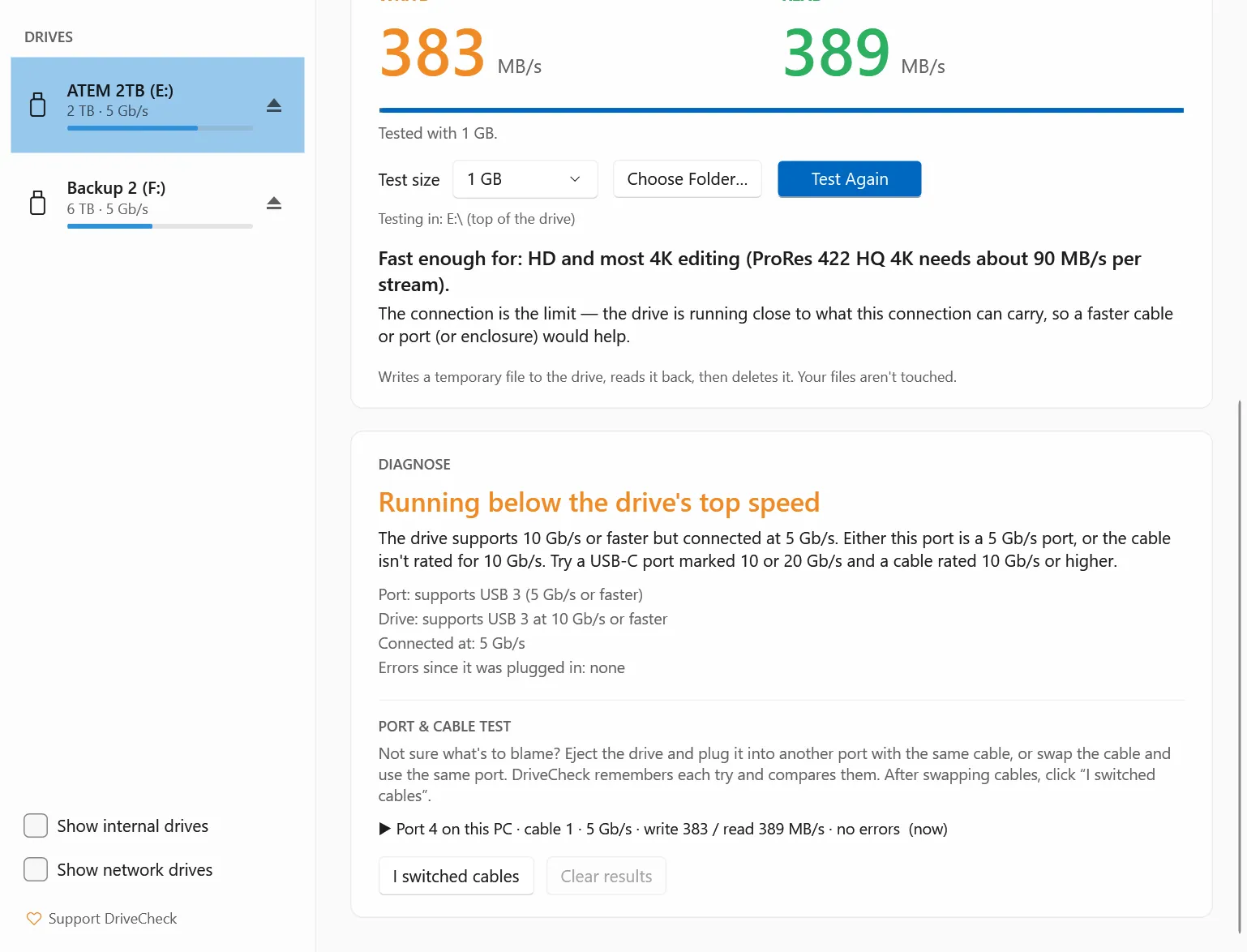
DriveCheck compares what the port supports, what the drive supports, and the speed they actually connected at, plus any errors your computer logged. Then it tells you: likely the cable, likely the port, or everything looks good.
Port & cable test
Move the drive to another port or swap the cable, and DriveCheck remembers each try. It names the culprit, like “Port 4 connected at 480 Mb/s but Port 8 at 5 Gb/s. Port 4 is the problem.”
Storage at a glance
Used and free space for every drive, with a usage bar that turns red when a drive is almost full.
NAS and network drives
See whether you're on Wi-Fi or Ethernet, how fast that link is, and whether the network or the NAS is what's holding you back.
Laptop charging
See the live watts going into your battery, from “very slow” to “fast charging,” plus battery health and cycle count. On a Mac it also shows what your USB-C charger offers and the cable's rating.
Cable check (Mac)
On a Mac, DriveCheck reads the chip inside a USB-C cable to show what it's really rated for, like “100 W · 40 Gb/s,” and flags a cable that only does USB 2 data: fine for charging, but slow for drives.
The little things
One-click Eject, and it remembers your settings.
Is it actually charging?
The Charging page shows the watts going into your battery right now, along with battery health and cycle count. It's handy for checking a charger or a USB-C cable.
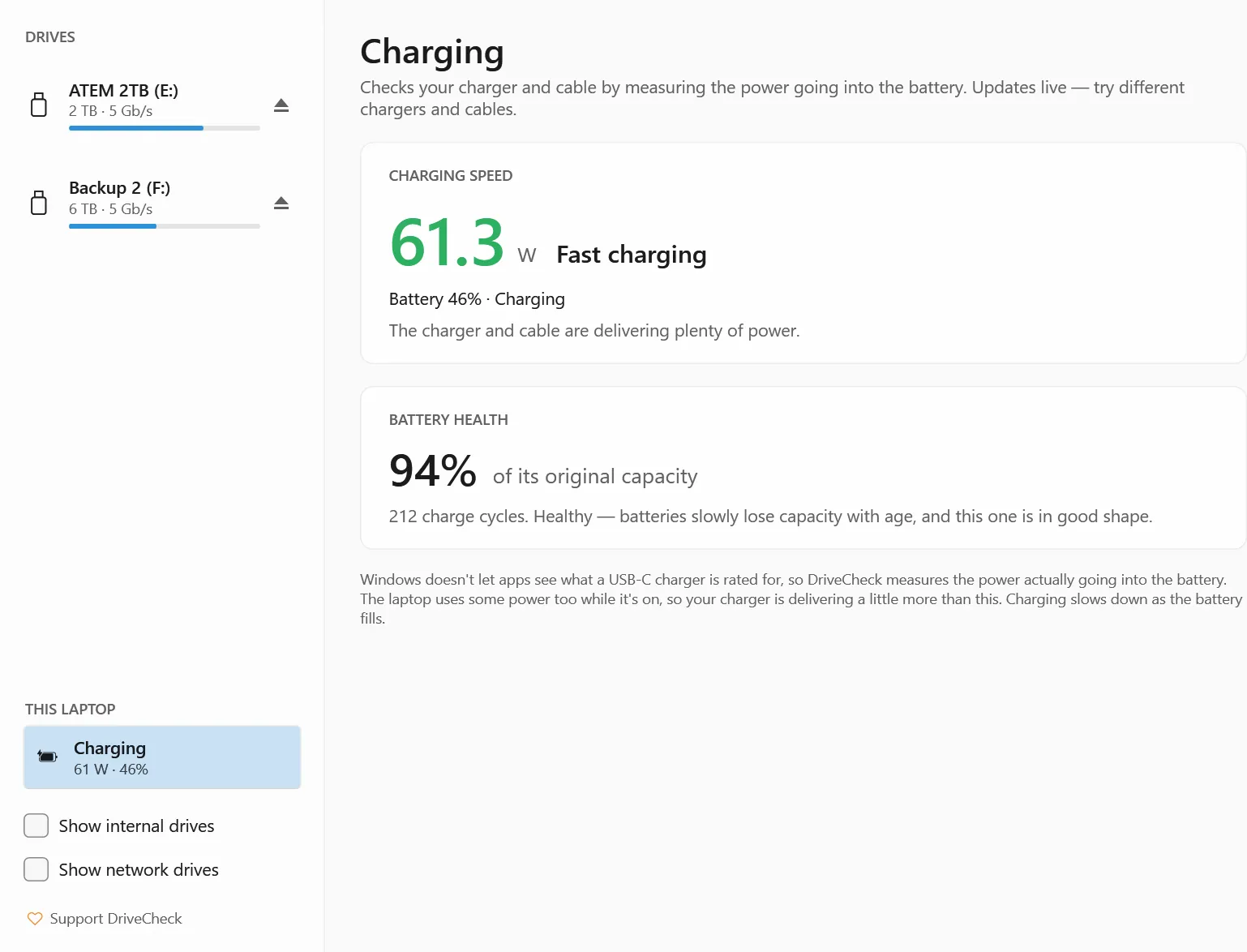
Example readings.
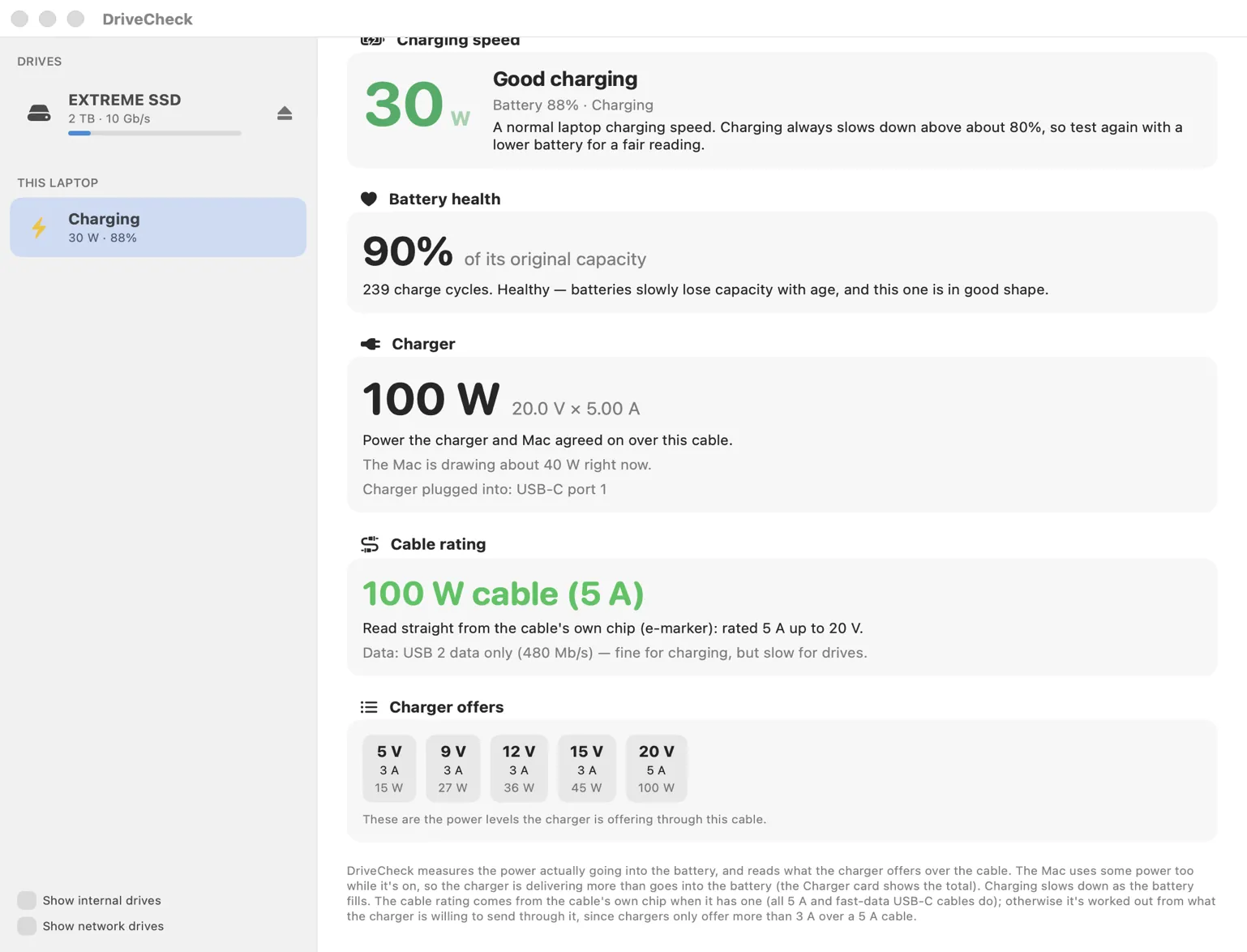
On a Mac it also reads the charger and the cable's own rating.
Enjoying DriveCheck?
DriveCheck is free. If it saved you some time, or a new drive you didn’t need, you can chip in any amount to support it. Thank you!
What people say about DriveCheck
No reviews yet. If DriveCheck helped you out, I'd love to hear about it.
Write a Review
Free for Windows and Mac
- Windows 10 and 11 (64-bit)
- macOS 14 Sonoma or later (Apple silicon and Intel Macs)
- No admin rights needed
- No account, no ads, no tracking
On a Mac, open the downloaded file and drag DriveCheck into your Applications folder.
Questions? See DriveCheck support or email [email protected]. Read the privacy policy.